728x90


* 퍼블릭 VPC 생성 단계
1. VPC 생성
2. 서브넷 생성
3. 라우팅 테이블 생성
4. 라우팅 테이블과 서브넷 연결
5. 인터넷 게이트웨이 생성
6. 인터넷 게이트웨이와 VPC 연결
7. 라우팅 테이블의 라우팅 편집으로 0.0.0.0, 인터넷 게이트웨이 라우팅 추가
8. 보안그룹 생성: 인바운드 규칙에 HTTP와 SSH 추가
9. EC2 생성
* 프라이빗 VPC 생성 단계
1. VPC 생성 (생략)
2. 서브넷 생성: 퍼블릭 서브넷이랑 가용영역과 서브넷 CIDR 다르게 설정
3. 라우팅 테이블 생성
4. 서브넷에서 라우팅 테이블과 서브넷 연결
5. NAT 게이트웨이 생성: 인터넷게이트웨이가 연결된 퍼블릭 서브넷 선택, 탄력적IP 할당
6. 라우팅 테이블의 라우팅 편집으로 0.0.0.0, NAT 게이트웨이 라우팅 추가
7. EC2 생성: 퍼블릭IP 비활성, 보안그룹 생성, 사용자 데이터 코드 추가
* 퍼블릭 ec2 접속 및 서비스 올리기
sudo su -
yum install httpd -y
systemctl start httpd
curl -L https://bit.ly/afbtest02 > /var/www/html/index.html # HTML 파일이 URL로 주어진 경우
ping 8.8.8.8
1. VPC 생성
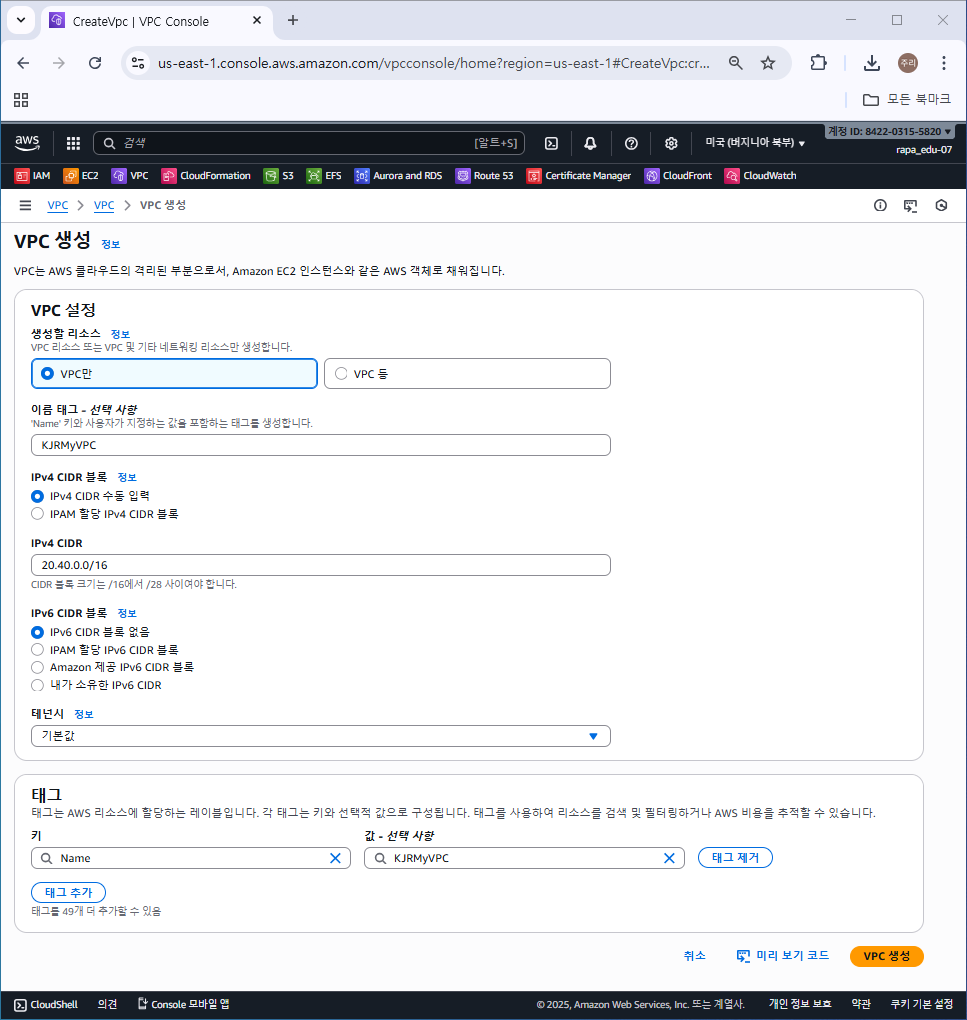
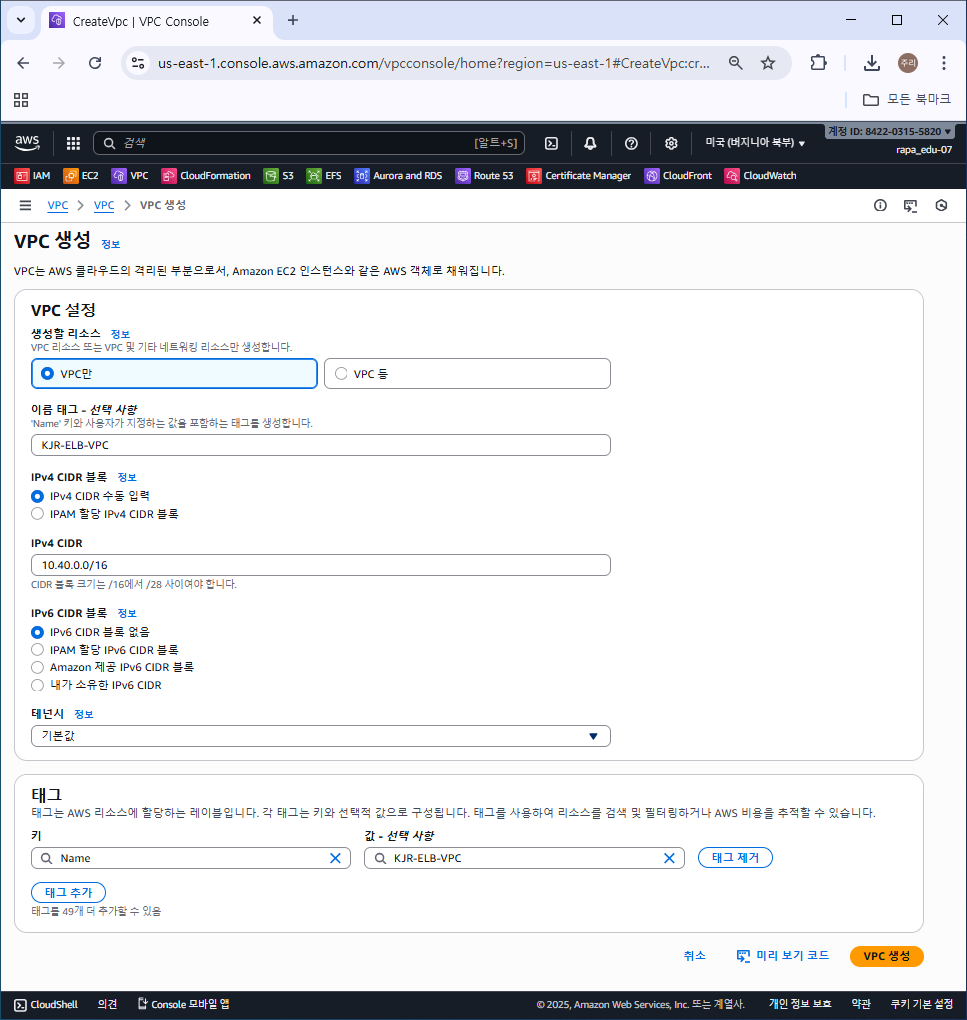
2. 서브넷 생성
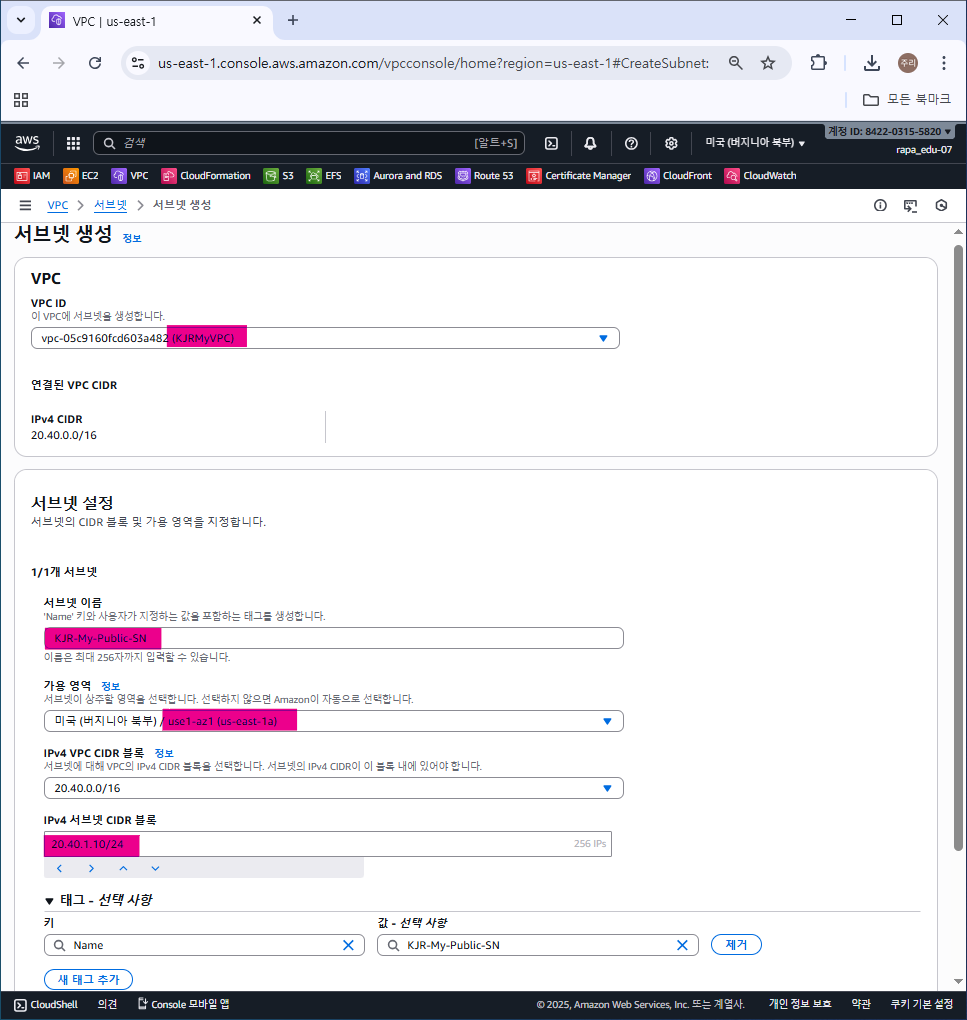
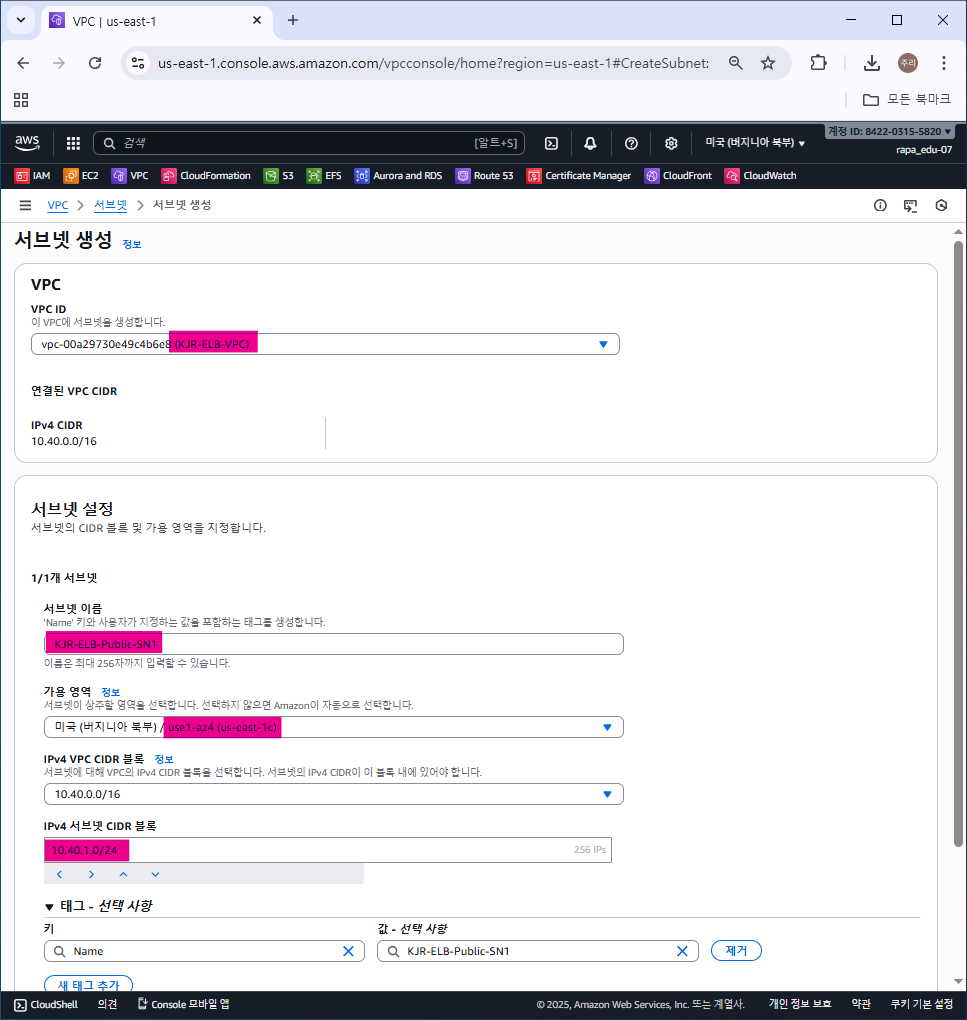
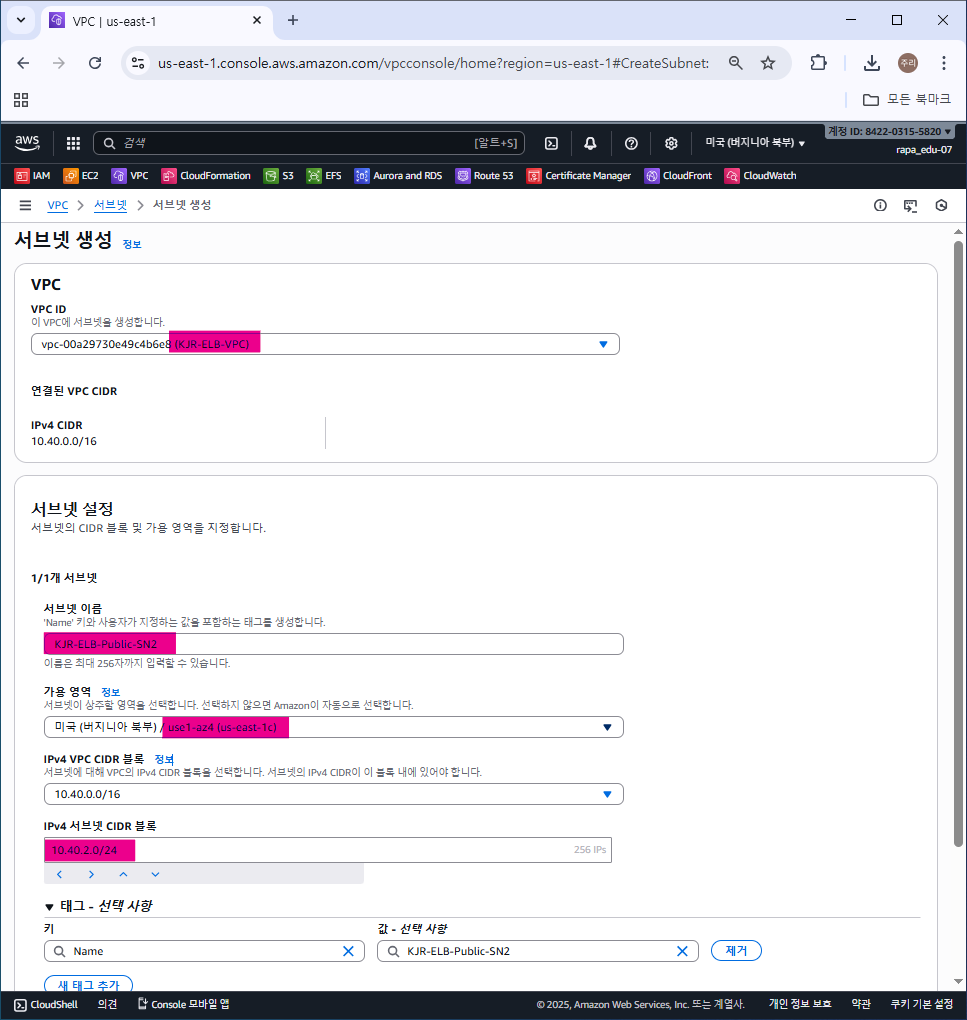
2번째 서브넷 가용영역 2a로 해야한다. 2c 아니다.
3. 라우팅 테이블 생성
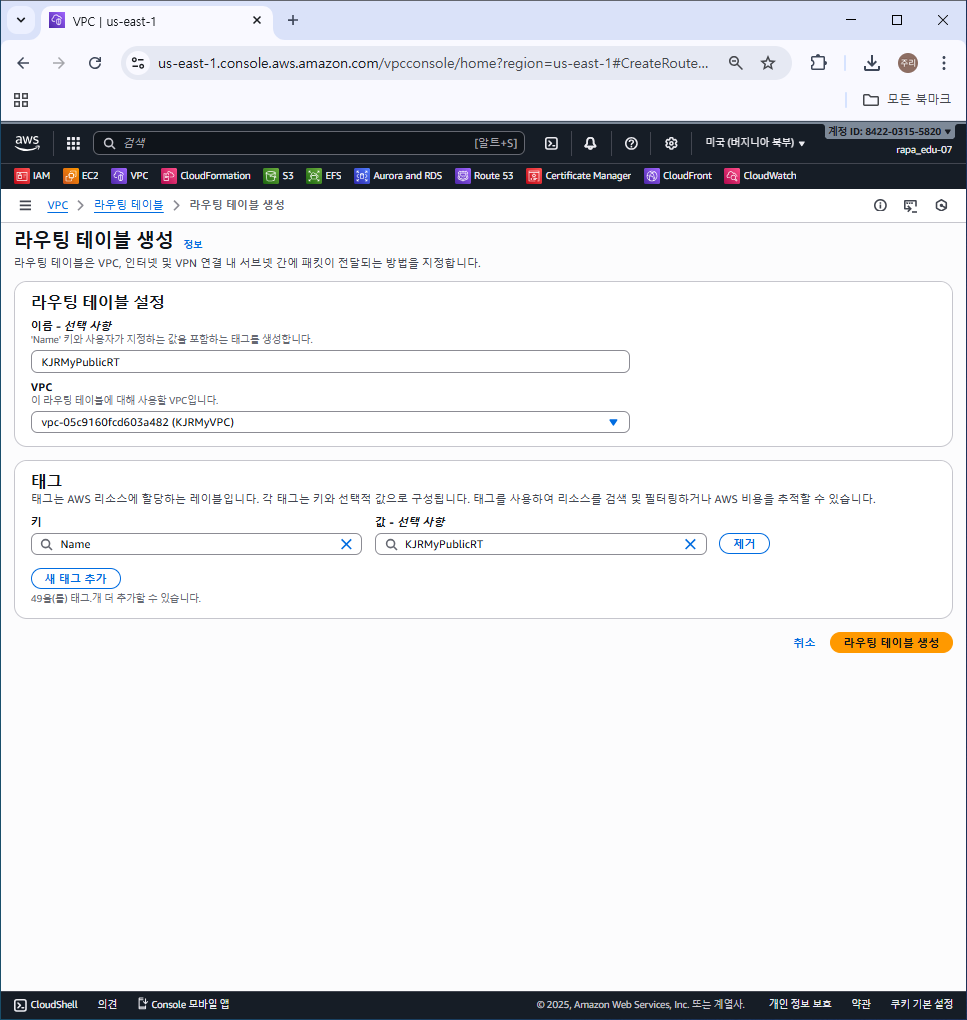

4. 라우팅 테이블과 서브넷 연결


서브넷 연결 안하면 Putty 접속 안된다.
5. 인터넷 게이트웨이 생성
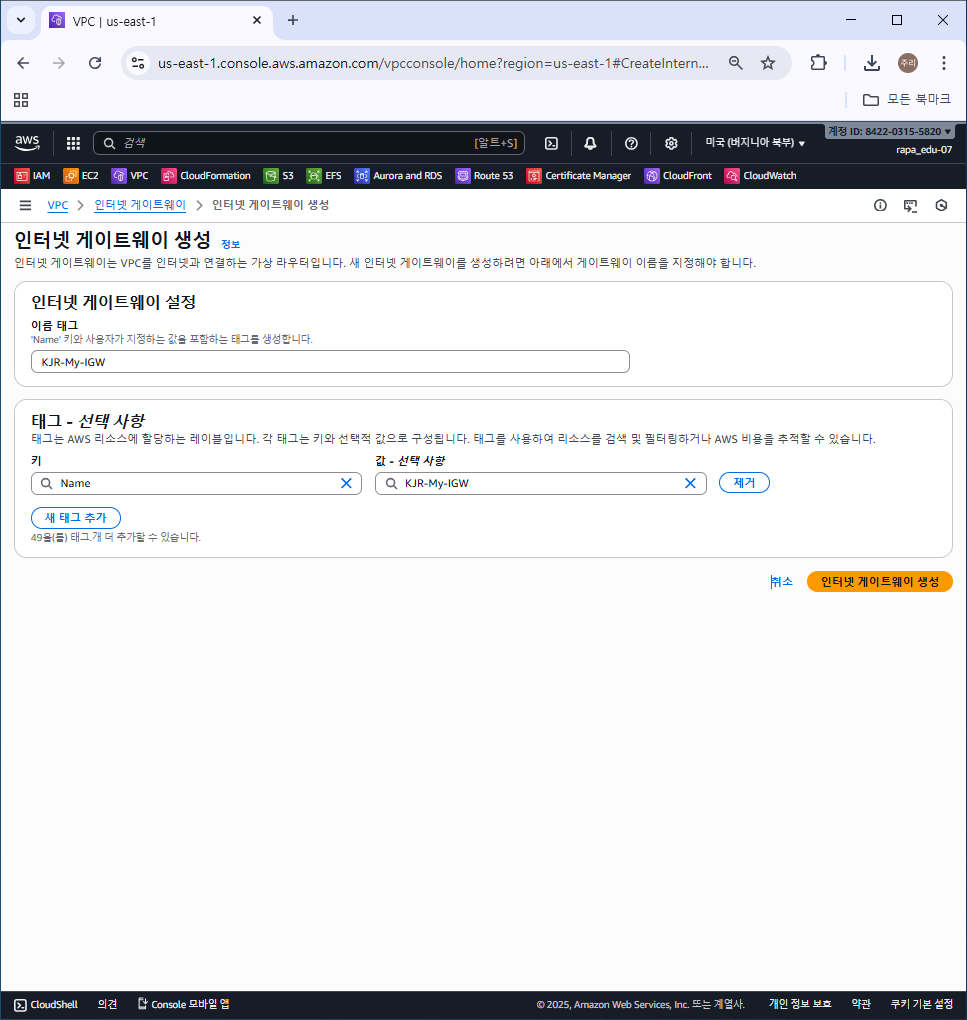

6. 인터넷 게이트웨이와 VPC 연결
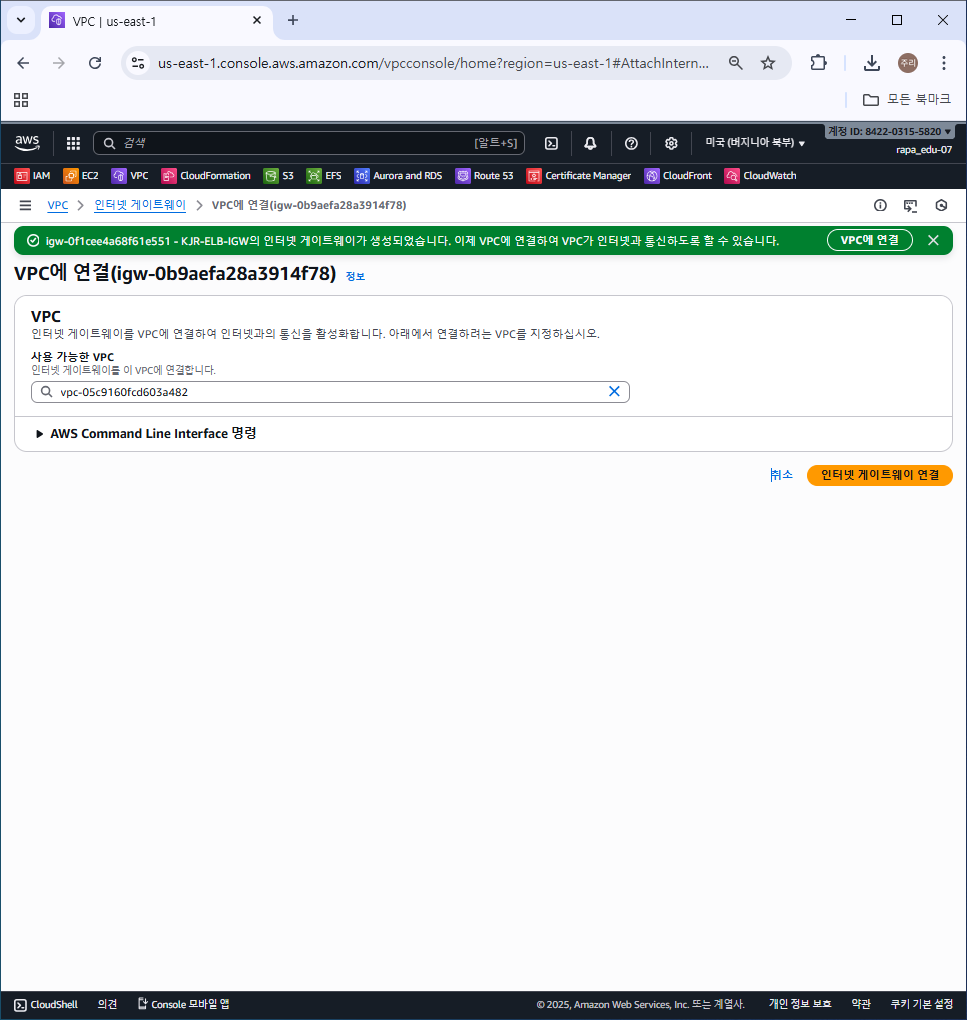

7. 라우팅 테이블에 인터넷 게이트웨이 라우팅 추가
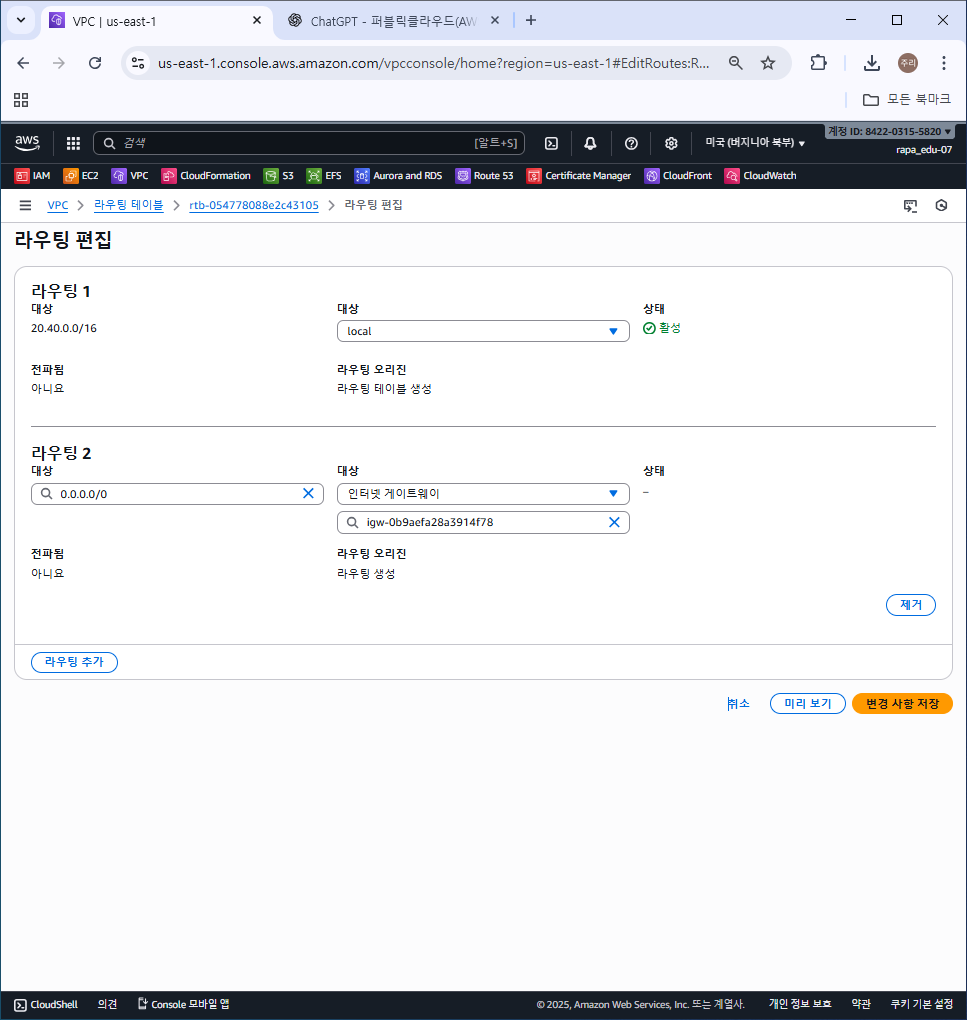
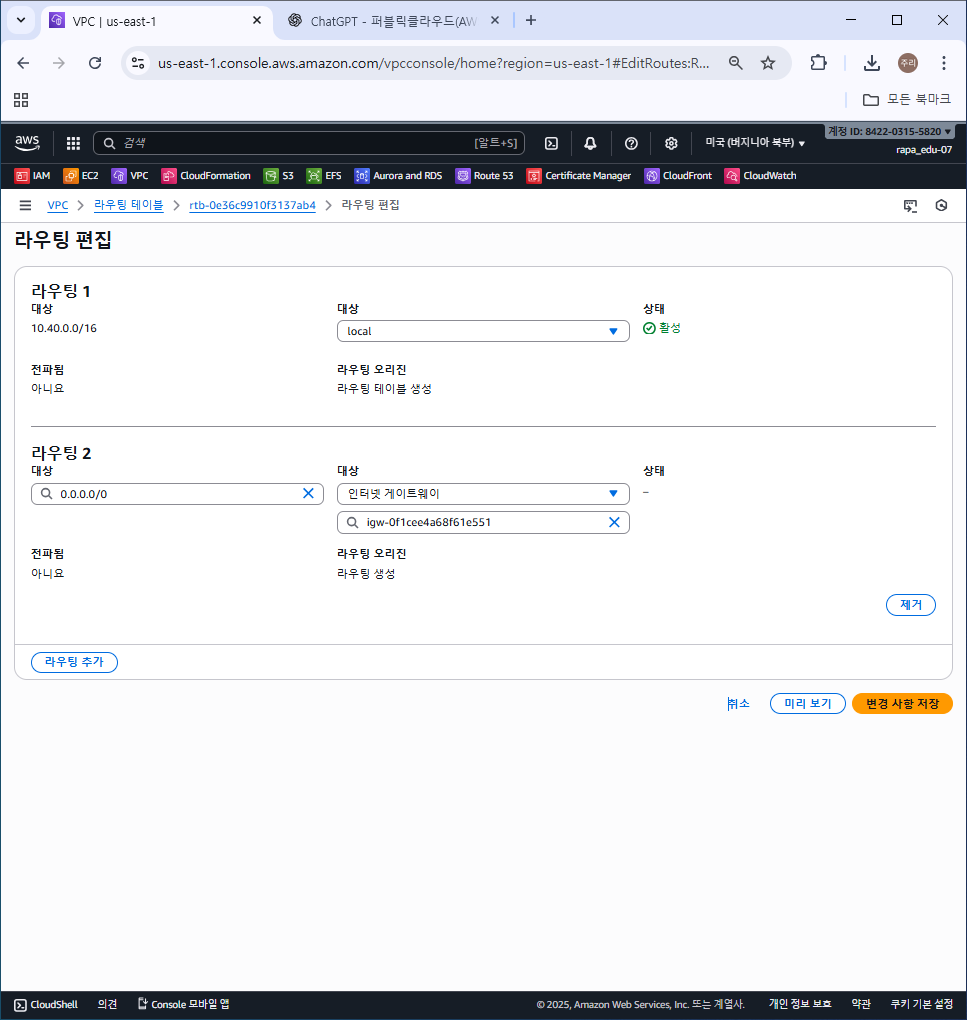
8. 보안 그룹 생성

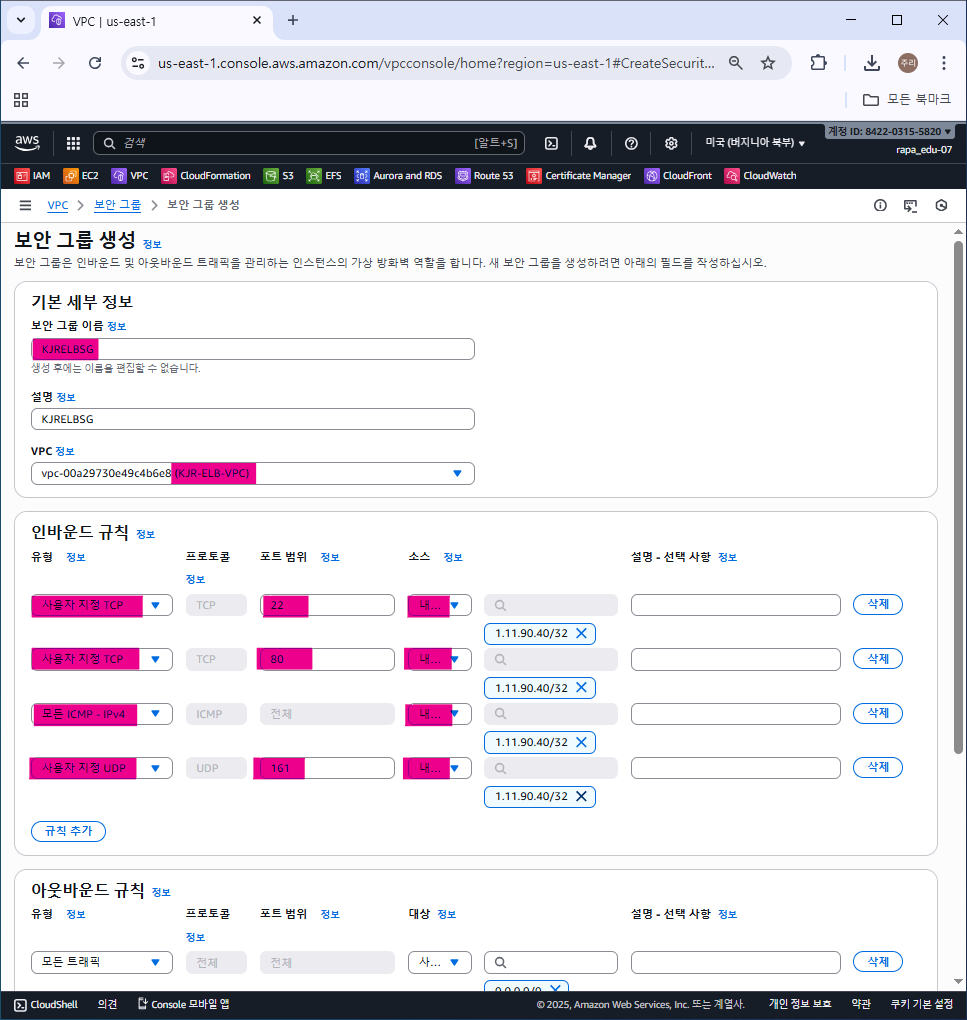
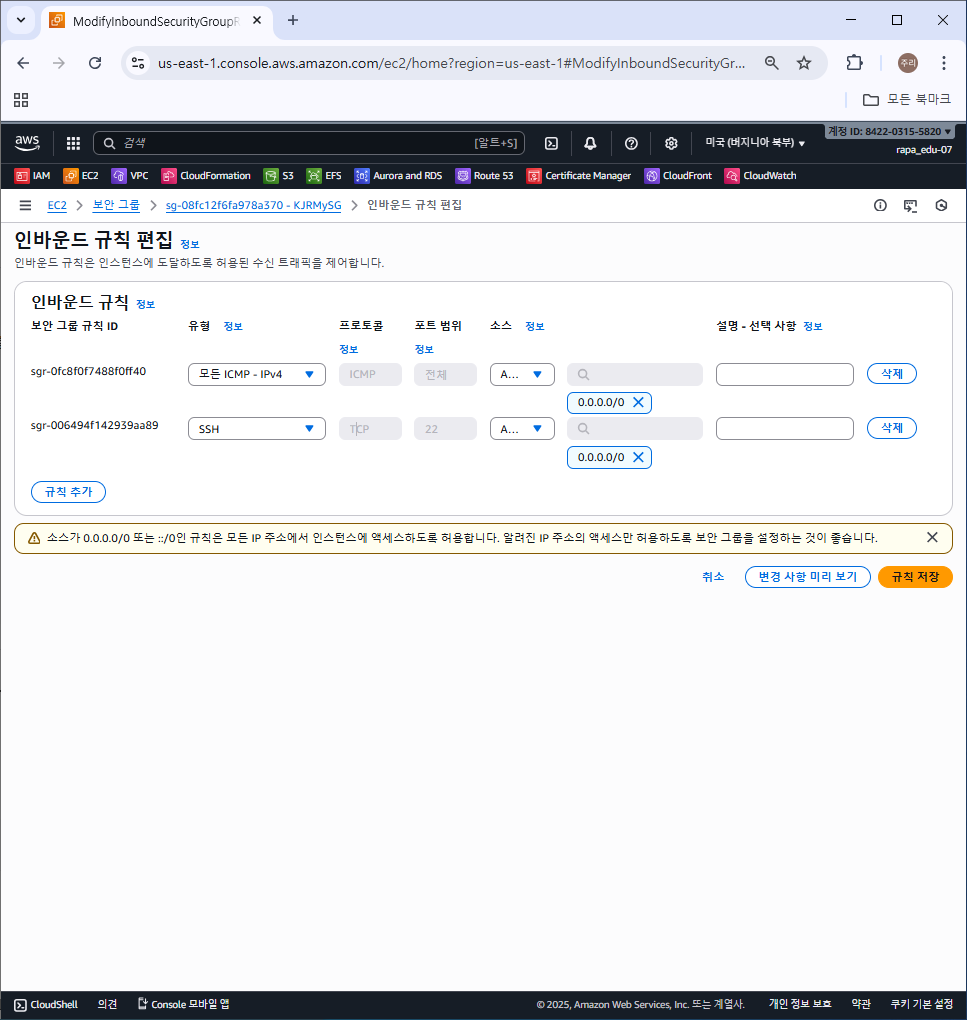

보안 그룹 다 0.0.0.0으로 설정해주었다.
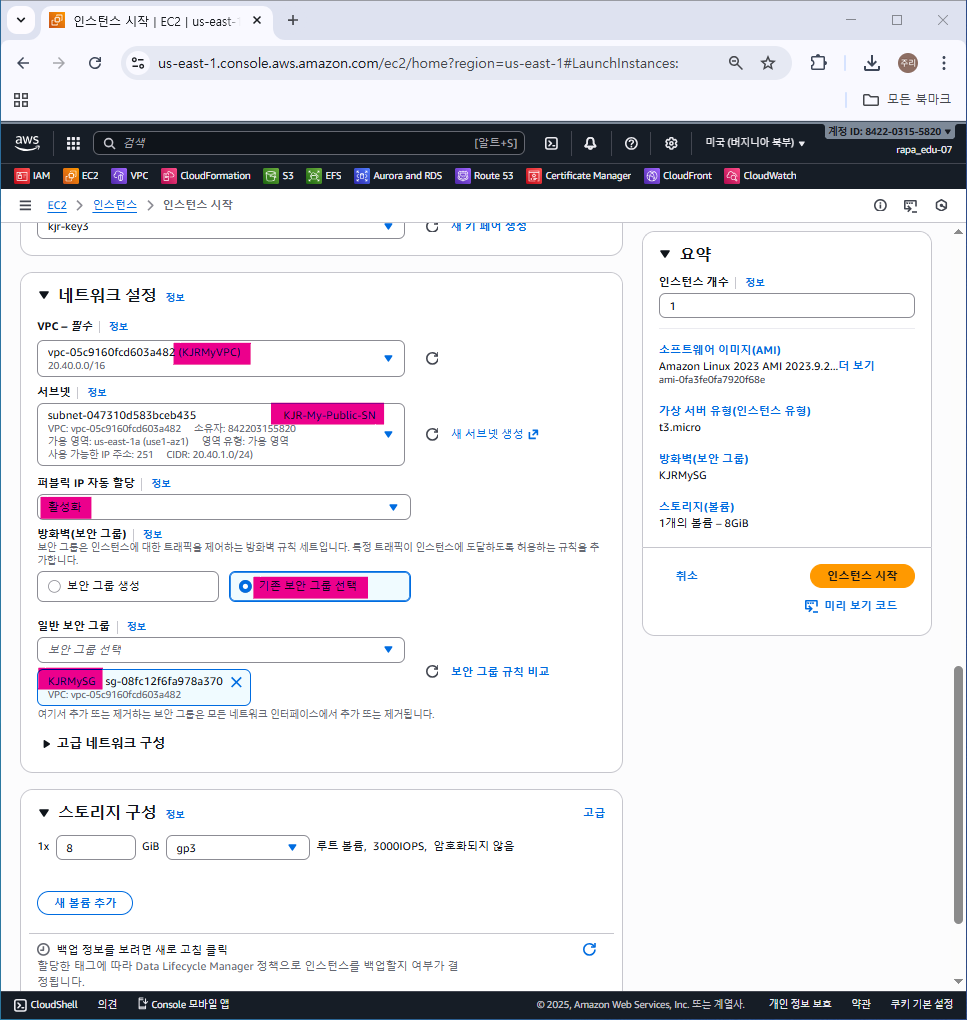
9. EC2


10. ALB 로드 밸런싱
1) 대상 그룹 생성


2) ALB 로드밸런서 생성
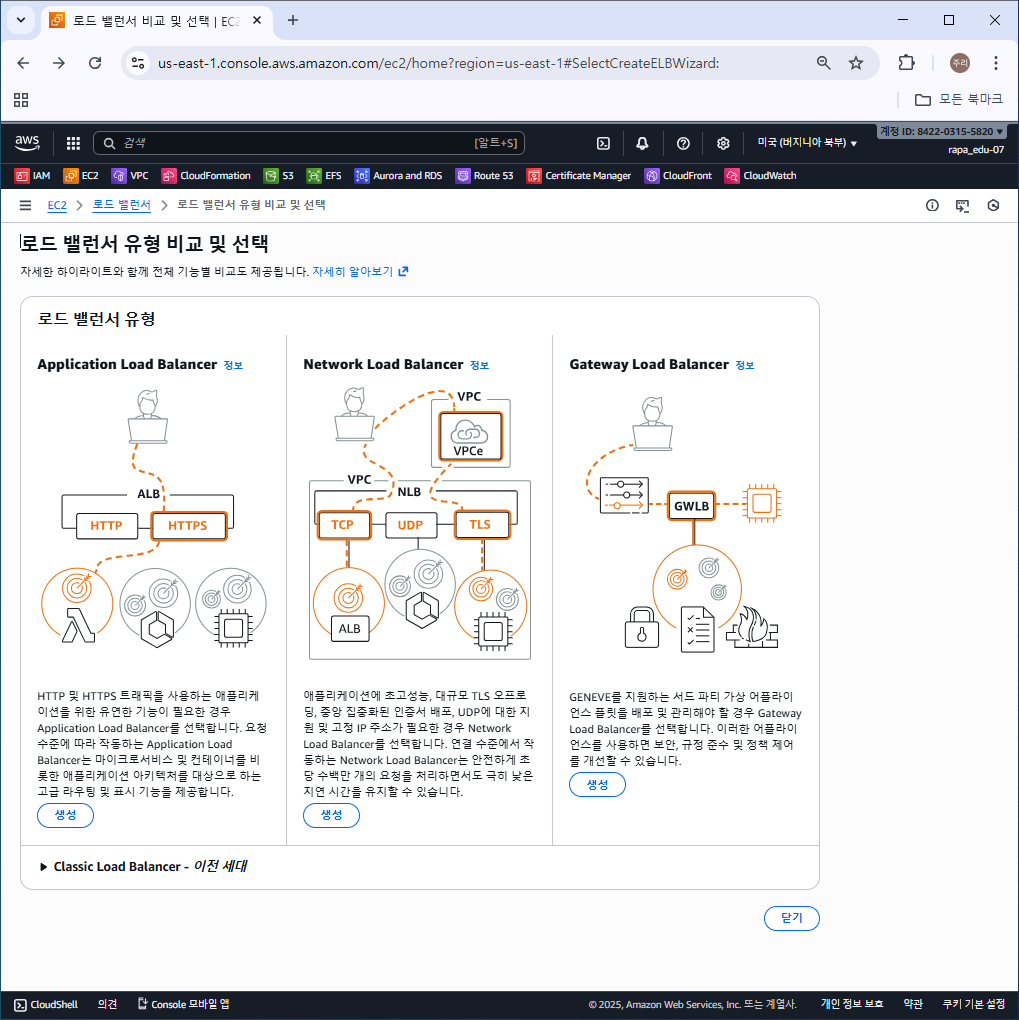
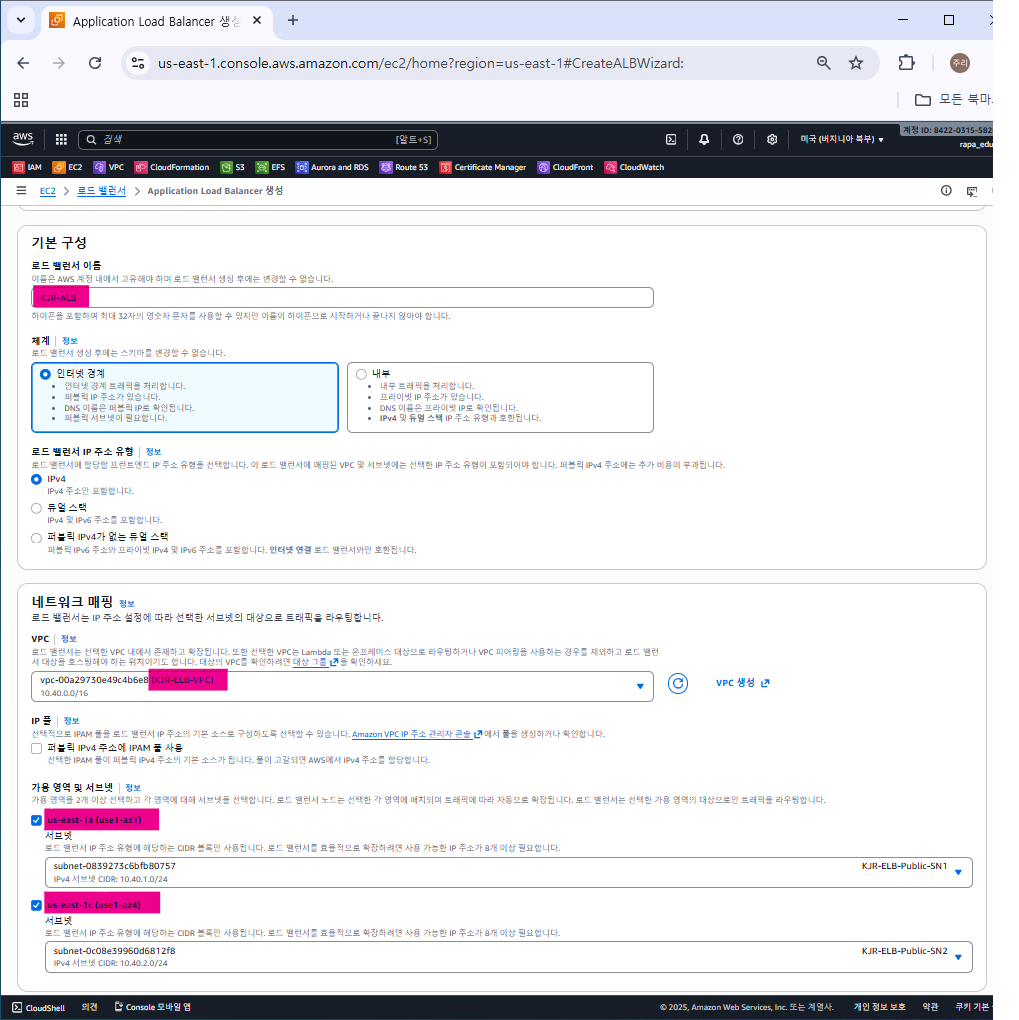


생성된 로드밸런서 DNS 이름 확인
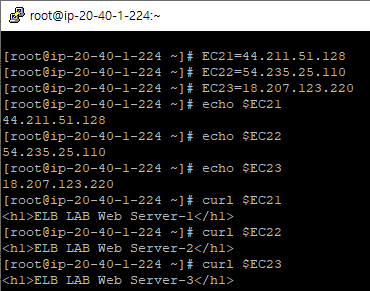
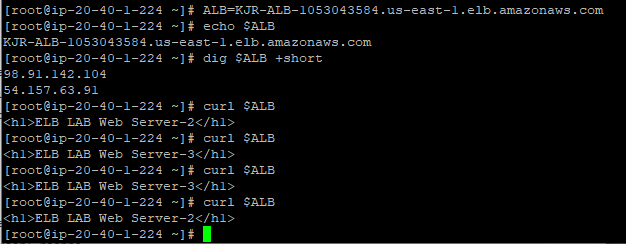
11. 로드밸런싱 동작 확인
# myEc2
sudo su -
hostnamectl --static set-hostname  MyEC2
echo "sudo su -" >> /home/ec2-user/.bashrc
yum install net-snmp-utils tcpdump tmux -y


# ELBEC2-1
sudo su -
hostnamectl --static set-hostname  SERVER1
echo "sudo su -" >> /home/ec2-user/.bashrc
yum install httpd php -y
yum install net-snmp net-snmp-utils tcpdump tree tmux -y
service httpd start && service snmpd start
chkconfig httpd on && chkconfig snmpd on
echo "<h1>ELB LAB Web Server-1</h1>" > /var/www/html/index.html
mkdir /var/www/html/dev
echo "<h1>ELB LAB Dev Web Page</h1>" > /var/www/html/dev/index.html
curl -o /var/www/html/xff.php https://cloudneta-aws-book.s3.ap-northeast-2.amazonaws.com/chapter4/xff.php --silent

3ELBEC2-2
sudo su -
hostnamectl --static set-hostname  SERVER2
echo "sudo su -" >> /home/ec2-user/.bashrc
yum install httpd php -y
yum install net-snmp net-snmp-utils tcpdump tree tmux -y
service httpd start && service snmpd start
chkconfig httpd on && chkconfig snmpd on
echo "<h1>ELB LAB Web Server-2</h1>" > /var/www/html/index.html
mkdir /var/www/html/mgt
echo "<h1>ELB LAB Mgt Web Page</h1>" > /var/www/html/mgt/index.html
curl -o /var/www/html/xff.php https://cloudneta-aws-book.s3.ap-northeast-2.amazonaws.com/chapter4/xff.php --silent


#ELBEC2-3
sudo su -
hostnamectl --static set-hostname  SERVER3
echo "sudo su -" >> /home/ec2-user/.bashrc
yum install httpd php -y
yum install net-snmp net-snmp-utils tcpdump tree tmux -y
service httpd start && service snmpd start
chkconfig httpd on && chkconfig snmpd on
echo "<h1>ELB LAB Web Server-3</h1>" > /var/www/html/index.html
mkdir /var/www/html/mgt
echo "<h1>ELB LAB Mgt Web Page-1</h1>" > /var/www/html/mgt/index.html
curl -o /var/www/html/xff.php https://cloudneta-aws-book.s3.ap-northeast-2.amazonaws.com/chapter4/xff.php --silent
728x90
LIST
'퍼블릭 클라우드(AWS)' 카테고리의 다른 글
| [AWS] RDS(Relational Database Service) 배포 및 웹 서버 연동 (0) | 2025.11.19 |
|---|---|
| [AWS] Public/Private S3(Simple Storage Service) 스토리지 구성 (0) | 2025.11.19 |
| [AWS] EFS(Elastic File System) 스토리지 구성 (0) | 2025.11.17 |
| [AWS] EBS(Elastic Block Store) 스토리지 구성 (0) | 2025.11.17 |
| [AWS] ALB(Application Load Balancer), NLB(Network Load Balancer) - 로드밸런싱 구성 (0) | 2025.11.14 |